6 min to read
Duolingo Hacker Edition: Unlocking the Freemium Version

Table of Contents
Update (2026): The version used in this post (5.152.2) is an older version and no longer works. Users are now forced to update the app, which fixes the “vulnerability” described here.
Introduction
Duolingo is one of the most popular language-learning applications in the world, offering more than 100 courses across dozens of languages and reaching over 113 million monthly active users (1).
While anyone can use the app for free, the free version comes with several limitations compared to the paid tier (Super Duolingo, formerly known as Duolingo Plus):
- Advertisements between lessons
- Inability to freely review mistakes
- Restricted access to specific listening and speaking practice exercises
- Limited “lives” (hearts), meaning that if you make 5 mistakes, you cannot continue your lessons until your hearts regenerate
While using the app, I started wondering how the application validates whether a user has an active Super subscription and whether that validation happens on the server or on the client side. In this post, I will walk through my attempts to analyze the Android app (version 5.152.2) and unlock its premium features.
First Attempt
My first idea was to find where the application saves the user’s information locally on the device and change my account status directly in that file.
Exploring the application’s internal storage directory, I found a JSON file containing the user profile data at the following path:
/data/data/com.duolingo/files/res/v2/rest/2017-06-30/users
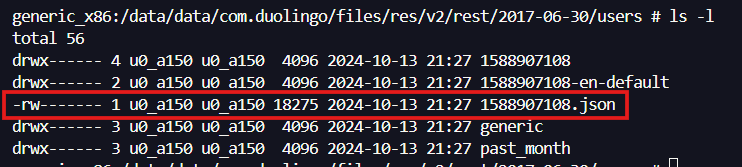
Opening the 1588907108.json file, I could see all the user’s information stored in plaintext, including the "hasPlus": false parameter and the "health" object that controls the number of hearts:
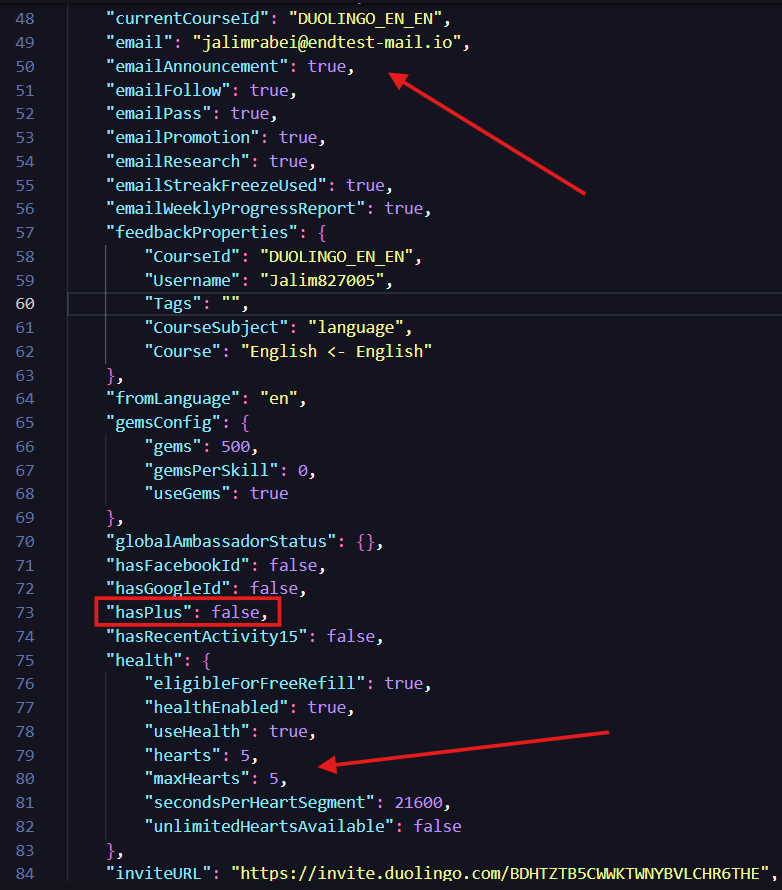
So, I modified those values, saved the file, and opened the app again, but nothing happened.
The application simply overwrote the file as soon as I opened it. Whenever the app starts, it fetches the user’s information from the server and updates the local file. Because of this, it was necessary to intercept and analyze the network requests.
Second Attempt
The idea now was to intercept the requests made by the app to understand what was happening under the hood. The application itself did not have custom anti-tampering protections, so I used a public Frida script to bypass its SSL pinning restrictions (TrustManagerImpl and OkHTTPv3).
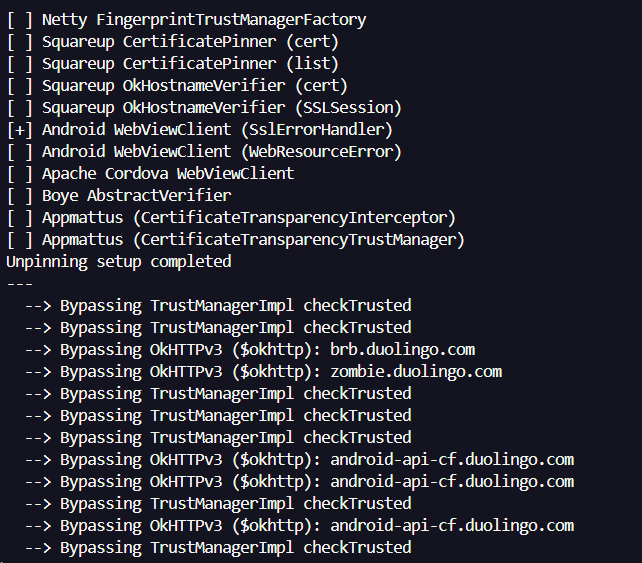
With the traffic flowing through Burp Suite, I found the request responsible for fetching the user’s information:
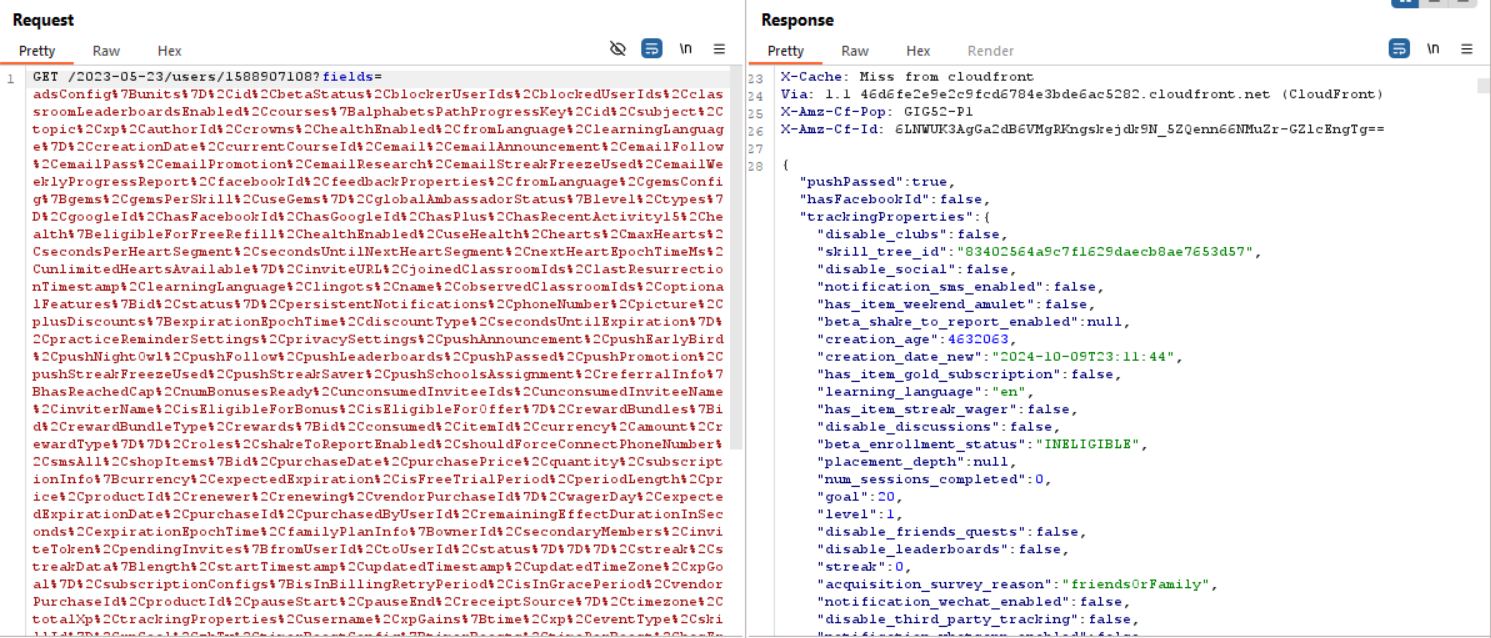
Looking at the response body, I saw the exact same information that gets written to the local JSON file. To see how the application would handle it, I intercepted the response and changed the "hasPlus" parameter from false to true:
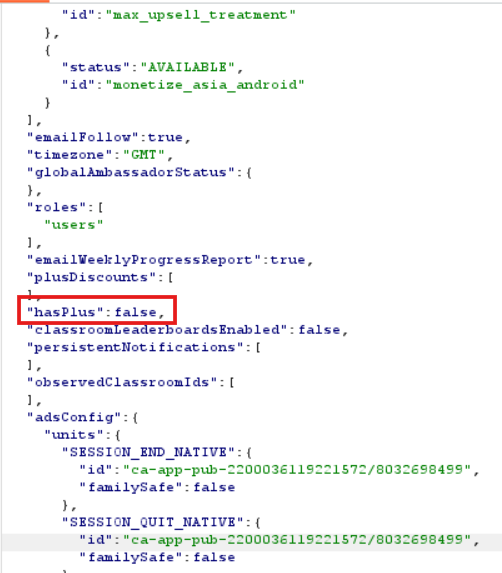
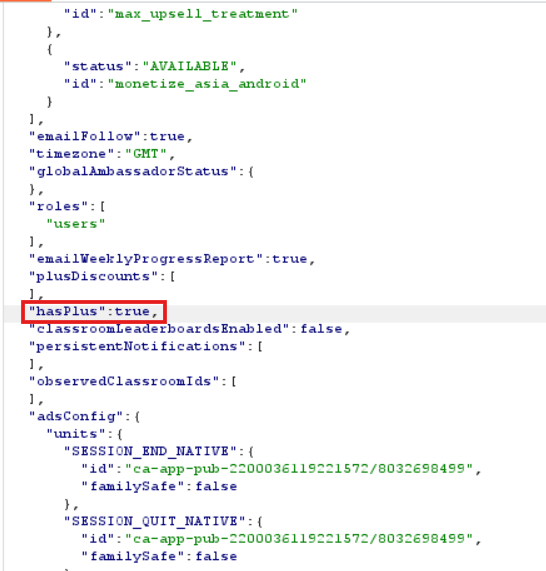
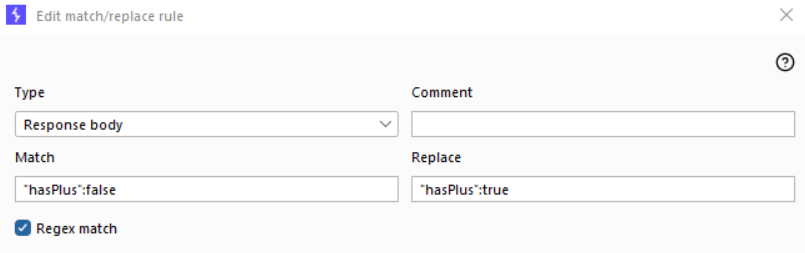
Because the app makes this same request multiple times while navigating through the interface, changing it manually every time was not practical. To automate this, I configured a Match and Replace rule in Burp Suite to automatically replace "hasPlus":false with "hasPlus":true in every response body:
Then, opening a lesson in the app, I could immediately see the unlimited lives (infinity) symbol in the top right corner:
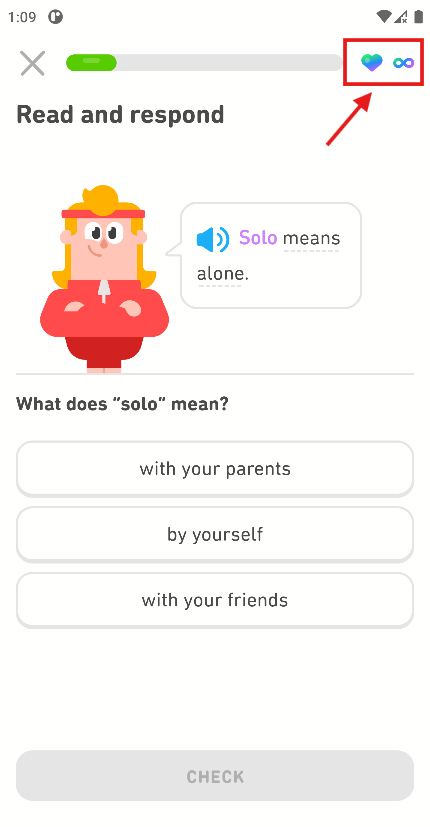
Okay, the icon changed, but I needed to confirm if it really worked in practice. I started answering the questions, intentionally made more than five mistakes, and confirmed that the lesson continued without deducting any lives.
Cool, it is possible to have a Super account just by modifying the server response. However, I didn’t want to depend on a proxy running every time I used the app, so it was time to rewrite the application itself.
Rewriting the App
The first step to permanently modify the app was to perform reverse engineering on the APK using apktool to decompile its resources and smali code:
java -jar .\apktool_2.7.0.jar d .\Duolingo_5.152.2.apk
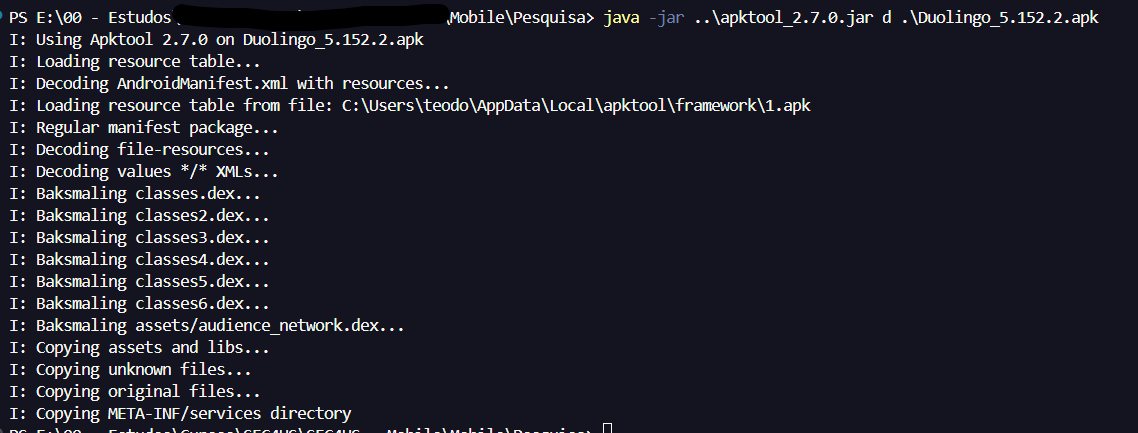
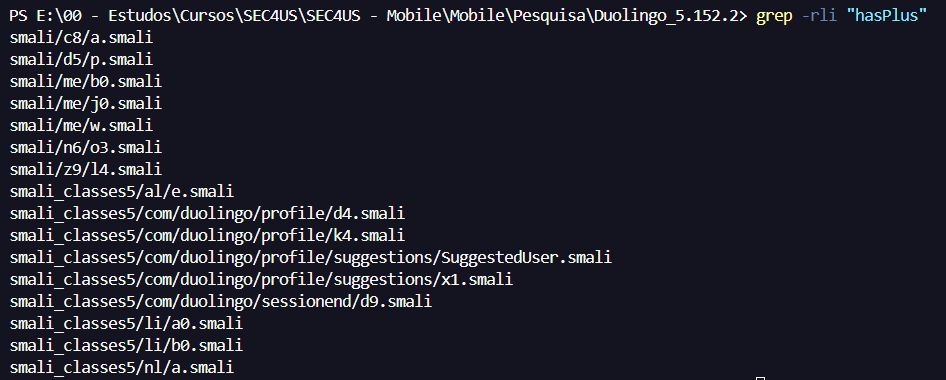
Once the APK was decompiled, I searched for references to the string "hasPlus" across the extracted smali files:
grep -rli "hasPlus"
To make reading the code easier, I also opened the APK in jadx-gui and searched for "hasPlus":
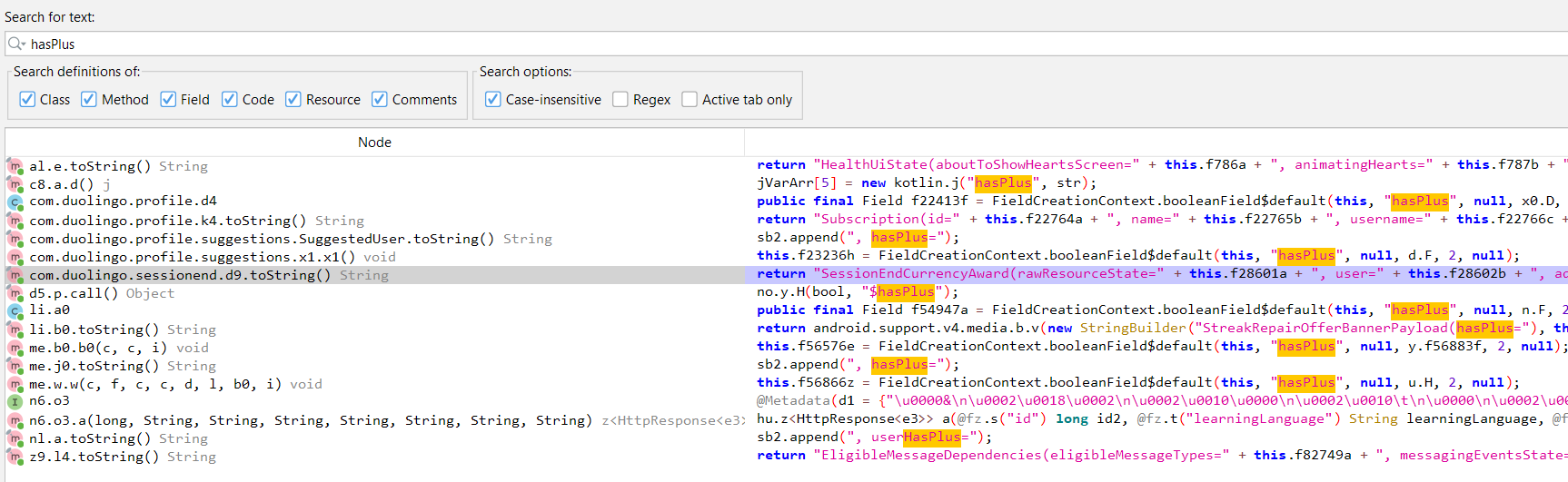
Analyzing the results, I found that in the class me.j0, the app receives the "hasPlus" parameter and saves it in the boolean variable f56676z:
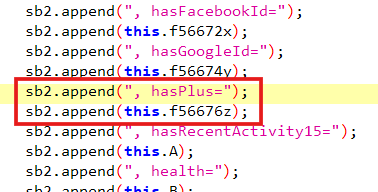
Further down in the same class, the code checks whether that value is true:
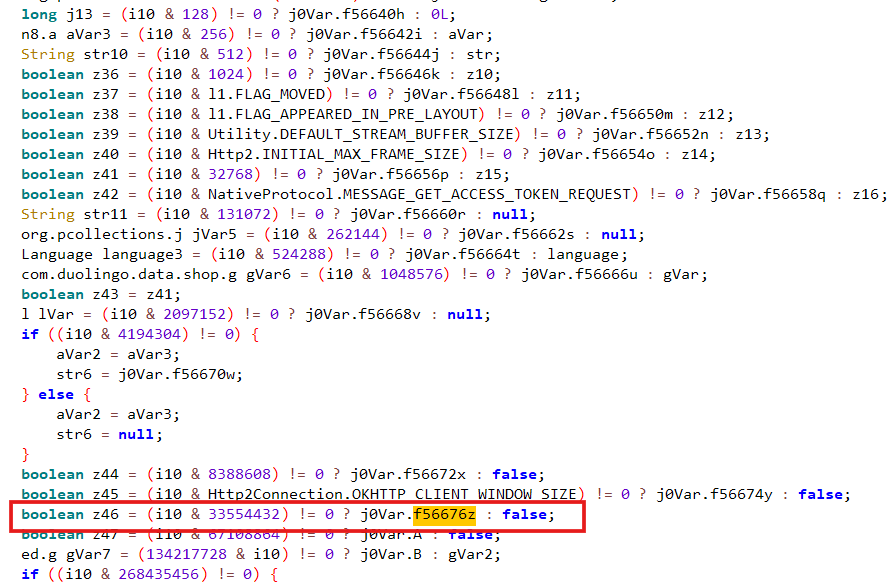
Notice that the bitwise operation in the decompiled Java code uses the decimal number 33554432. Since constants in smali are represented in hexadecimal, I converted 33554432 to HEX, which resulted in 0x2000000:

Searching the smali code of me/j0.smali for 0x2000000, I found the exact routine that checks this flag and reads the boolean field Lme/j0;->z:Z:
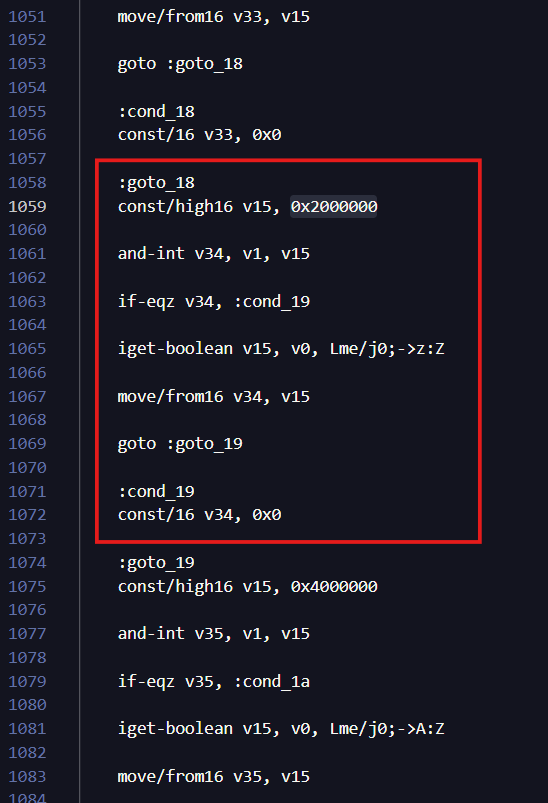
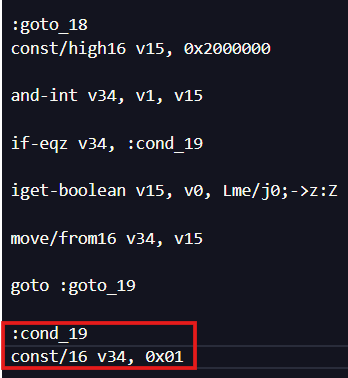
Then, I changed the instruction at :cond_19 from const/16 v34, 0x0 to const/16 v34, 0x01 so that it always returns true, regardless of the server response:
After that, I searched for all references to this field (Lme/j0;->z:Z) across the entire codebase:
grep -rli "Lme/j0;->z:Z"
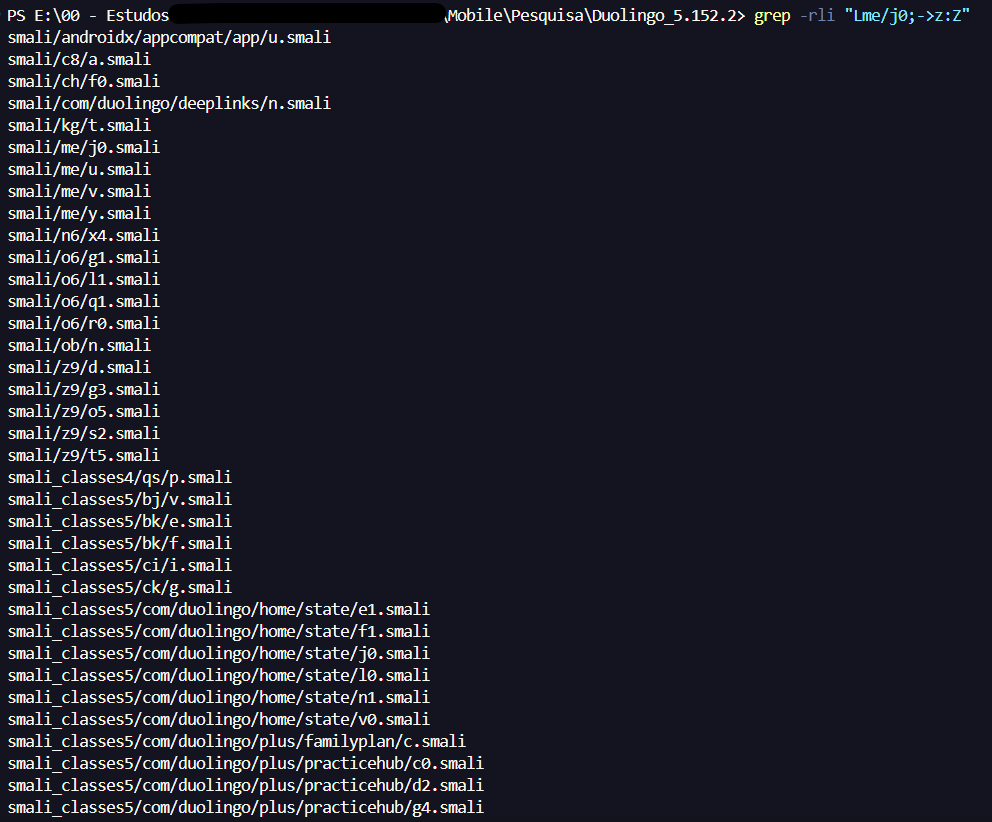
And that was the boring part: I had to go through all of these files and change the logic so that the response was always treated as true.
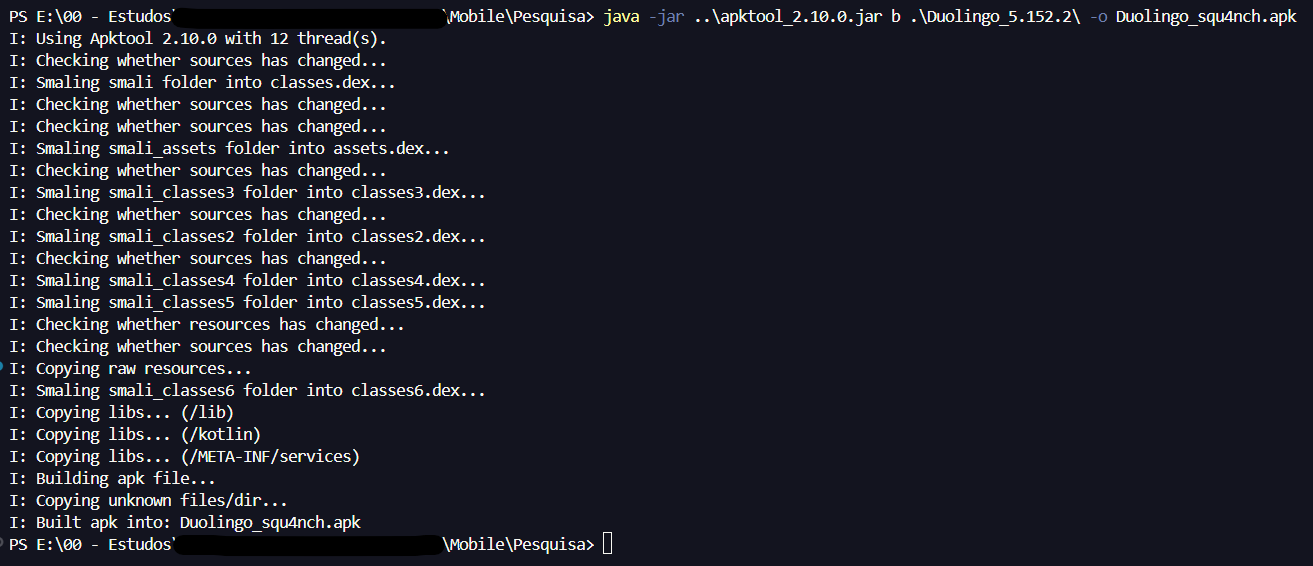
After modifying all the files, I recompiled the APK using apktool:
java -jar .\apktool_2.10.0.jar b .\Duolingo_5.152.2\ -o Duolingo_squ4nch.apk
And then signed and aligned the generated APK using uber-apk-signer:
java -jar .\uber-apk-signer-1.2.1.jar -a .\Duolingo_squ4nch.apk -o aqui\

Finally, after installing and opening the modified app on the device, I could confirm that the premium version was unlocked without needing a proxy:

Conclusion
In this post, we saw how relying on client-side checks to unlock application features can be abused. Even though the Duolingo app overwrote its local configuration file on startup, it still trusted the "hasPlus" boolean returned in the HTTP response and stored in the client’s memory state.
By combining traffic interception with Frida and Burp Suite to identify how the parameter was handled, and then using jadx and apktool to patch the smali bytecode directly, it was possible to permanently unlock the freemium limitations in that version of the app.
References
(1) https://investors.duolingo.com/news-releases/news-release-details/duolingo-achieves-54-dau-growth-and-40-revenue-growth-third
(2) https://apktool.org/
(3) https://github.com/skylot/jadx
(4) https://github.com/patrickfav/uber-apk-signer
